
Skip to content
Supreme Pack

A skill for Claude Code and Codex · Design and frontend

It picks the visual direction before opening the CSS file.

Structure first, a written direction, tokens and local fonts, a different composition per section, and an anti-generic review at the end. It's the skill that keeps my pages from looking like 2010 or like an AI template, and it's the one that runs the most around here.

Buy R$ 97 R$ 97 one time payment

Solo skill: unlocks right away, no guarantee after download. Purchase terms.

Or get all 25 skills plus 9 bonuses in the Supreme Pack for R$ 497.

The problem

Every AI-made page looks the same. You've noticed.

It's not that the model gets it wrong, it's the order: it opens the CSS before knowing what the page needs to do. Three symptoms that give away a page built on autopilot, and what changes once the skill takes the lead.

What the work looks like without frontend-expert and with it
Without the skillWith frontend-expert
You ask for the landing page and the AI just starts writing: headline, paragraph, two buttons, and three identical icon cards. Nice for ten seconds, identical to every other one out there.It asks for the goal, who's arriving and from where, builds the section list with a persuasive job for each one, and only then decides what the page is going to look like.
A single font, almost always the same one, pulled from Google in neighboring weights. Nothing has hierarchy, and the page has to ask an outside server for permission before it loads.Two local font families with a real size jump between them, one accent color, and zero external requests. The direction gets written into the project, and whoever touches it next reads it first.
The same composition five times in a row, no image after the hero, a flat background from top to bottom. The page turns into a document, and the eye stops scrolling.Every section shifts composition, has an image where it needs one, and depth where it makes sense. At the end, a review measures the page and fails whatever still looks like a template.

What you get out of it

What you get out of it.

Three pages from my own site, built with this exact process. No designer involved: the skill asks for the structure, writes the direction, builds it with the kit, and fails whatever still looks generic.

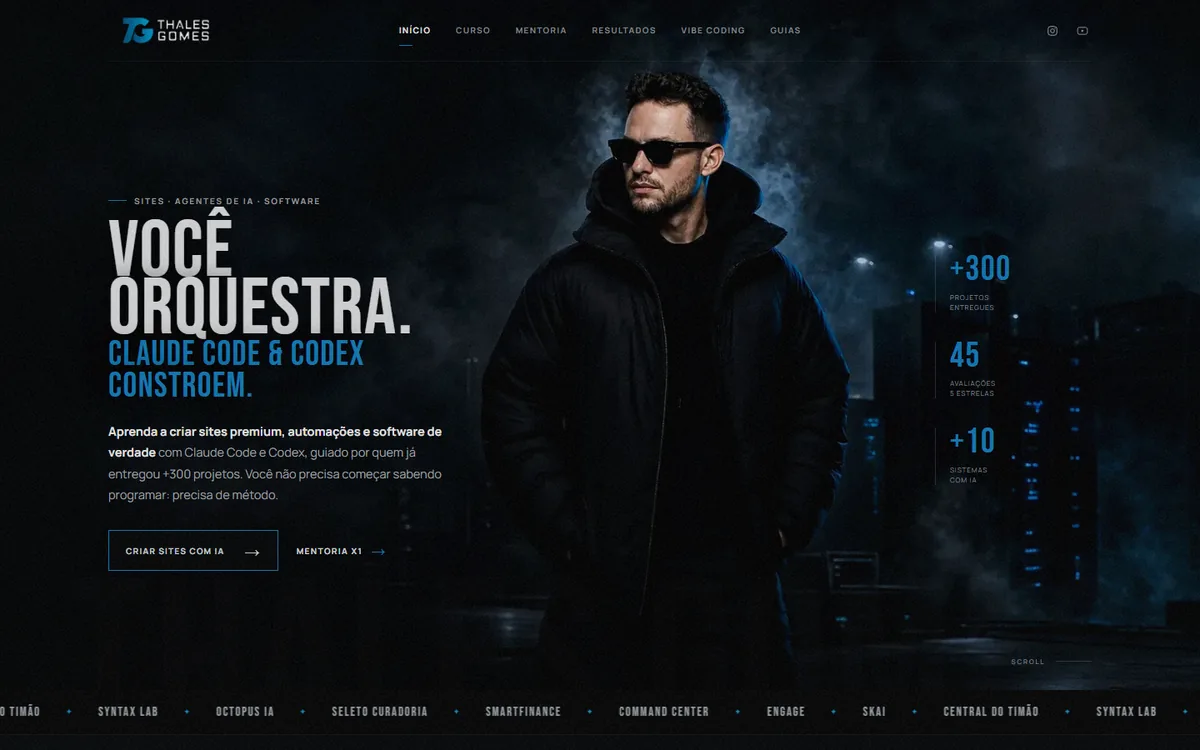
Homepage of thalesgomes.com, dark theme with a photographic cover and numbers along the side
thalesgomes.com · homepage, cinematic blue direction
Page for the Sala de Máquinas mentorship, two-column hero with a photo in its own frame
/sala-de-maquinas · cold-traffic landing page, execution track
Pillar page on vibe coding, cover with holographic blocks and a reading outline
/vibe-coding · pillar page, reading column

How it works

You ask for the page. It asks for the structure first.

  1. You state the goal and the type

    One action, who's landing there and through which traffic, and whether it's a landing page, corporate site, software, or dashboard. It reads the reference for that type before anything else.

  2. It builds the structure before the visuals

    Calls in copy-thief (the copywriting skill, free on my GitHub) and returns the section list, each one with a different persuasive job. No CSS gets written before that list exists.

  3. Writes the visual direction

    Picks one of 12 directions with color, typography, and motion already locked in, adapts it to your brand, and logs it in the project: color, font pairing, signature device, and image plan. Whoever touches the project next reads this first.

  4. Builds with the kit

    Starts from a complete template, pulls in ready-made components (hero, pricing, steps, FAQ, closing band, and more), only the effects the page actually uses, and the local fonts it installs itself. Zero Google Fonts.

  5. Reviews before calling it done

    A checker measures fonts, typography, imagery, composition, depth, CTAs, motion, and accessibility, and fails the page if it repeats a composition or has no image after the hero. Then it screenshots at three widths against an 11-point rubric, with a minimum score on each.

Before you buy

What you need, and what it never does.

What you need nothing extra to pay for

  • Claude Code or Codex, either one works
  • Python 3 for the gate and font scripts (Claude installs it)
  • Playwright for automatic screenshots, optional: without it, you just check in the browser

No API key required. Photos and illustrations are your own, or whatever another skill generates.

Setup zero

  • Drop the folder into the skills path for Claude Code or Codex, and you're set
  • On the first project, it logs the direction and CSS conventions in the docs folder
  • Fonts get added to the project through its own script, preload already set up

It detects when a project already has a direction and switches to maintenance mode, without redesigning what you've already polished by hand.

What it never does by rule, not by accident

  • Open CSS without an approved section list
  • Pull a font from Google or any CDN
  • Make up a testimonial, logo, number, or client name
  • Repeat the same composition in two sections in a row
  • Mix two directions on the same page, or add a second accent color
  • Use an em dash as punctuation in copy that goes live

Its limits

It designs. It doesn't shoot photos.

The skill picks the direction, builds the page, and fails whatever looks generic, but a good photo is still on you: it generates a neutral placeholder at the right size and marks where the real image goes. When you don't have the photo, generate one with whatever image tool you already use and bring it back for the skill to place.

In React, it covers tokens for Tailwind v4 and shadcn and explains how to port the kit over, but the kit itself is plain HTML, CSS, and JS. If you live in Next with your own design system, you get value from the process and the rubric, not the templates.

And it doesn't replace copy-thief: it calls in the copywriting skill in step 2 because structure comes before visuals. copy-thief is free, so that doesn't cost you anything extra.

What you receive

One folder. Drop it in and use it.

  • The entire skill, ready to install in Claude Code and Codex
  • The kit it builds pages with: complete templates, components, and effects ready to copy
  • Local fonts under an open license, which it installs straight into your project
  • The checkers it runs before calling the job done
  • Install guide and version history
  • 12 months of updates, with a notice in your Supreme Pack area for every new version
  • Files279
  • Size3,4 MB
  • Version1.0.0
  • LanguagePT-BR
  • Updates12 months
  • Pack guarantee7 days

The price

Just this one, or all of them.

Just frontend-expert

R$97one time payment

  • The full skill, ready to install
  • 12 months of updates for it, announced in your account
  • Pix or card, unlocked right away
  • No guarantee after download (see terms)
Buy the skill

Bought it solo and now want it all? Message me on WhatsApp and I will deduct what you already paid.

Supreme Pack

R$ 1.665R$497or 10x on a card

  • This one plus the other 24, across five areas
  • 9 bonuses I do not sell separately
  • Any new skills I release over the next 12 months
  • 12 months of updates for all of them
  • A 7 day guarantee on the pack
Get them all for R$ 497

Buying all 25 solo adds up to R$ 1.665. The pack pays for itself by the ninth skill. See everything the Supreme Pack includes

Before you ask

Questions about frontend-expert.

What's the difference from the frontend-design skill that already ships with Claude?

Anthropic's is a well-meaning paragraph: it asks for a distinct aesthetic and stops there. This one has an ordered process (structure, written direction, composition, build, review), a kit to copy from instead of improvising, local fonts, and a review that actually measures the page and fails it when needed. It was also calibrated on real Brazilian pages, tuned to the industries, tone, and traffic patterns found there.

Does it work with React, Next, and Tailwind?

The process and the rubric apply to any stack. The kit itself is plain HTML, CSS, and JS; for React, it brings a token reference for Tailwind v4 with shadcn and a roadmap for porting components. If your project is Next with its own design system, you use the direction and the review, not the templates.

Does it generate the page's images?

No. It generates a neutral placeholder at the right size and writes the image plan: how many, what type, and where. The real photo is yours, or comes from whichever image generation tool you already use.

Do I need copy-thief alongside it?

It calls in copy-thief during step 2, since the section list comes before the visuals. copy-thief is free, on my GitHub, under the MIT license. Without it installed, frontend-expert builds the structure on its own, with less rigor on the copy.

Does it work for client pages?

That's exactly why it exists here: the pages on my own site and the ones I deliver to clients all come out of it. The license covers work you do for clients; what's not allowed is reselling the skill.

Every AI-made page looks the same. Except the one that went through it.

One-time payment, 12 months of updates. No refunds after download; the Supreme Pack comes with a 7-day guarantee.

Get the skill for R$ 97 Pix or card · shows up in your account right away